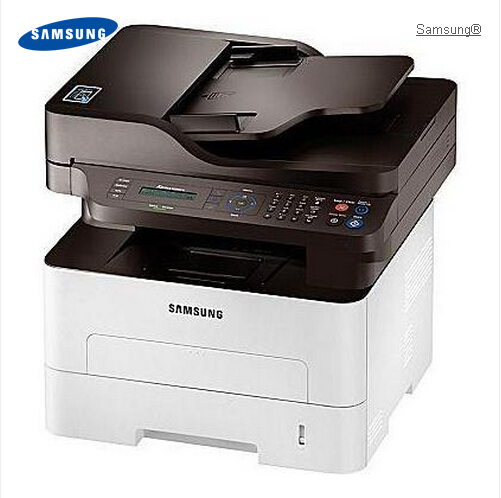
Multifunction printers have all-in-one functions, not only including inkjet printing but also scanning, color copying and sometimes even faxing. Actually, printers now are designed with all kinds of extra functions.The simple A4 printer is no longer popular compared with multifunction. For not much room on your desk, all-in-one printer-copier-scanners are more useful than simply A4 printers.
Current trends: Wi-Fi, touchscreen interfaces and double-sided printing
Wi-Fi connection is now a widely used and common function in printers. Most issues about compatibility have been fixed up. You can easily print from long distance with wireless. But only mid-range or high-end models uses Wi-Fi. Secondly, touchscreen interfaces as an advanced technology that usually can be found on high-end printers. They make printer easier to use, you have even no need to find out the right button, because the default option will stand out in the center of the screen.
The double-sided printing is a big trend in printers. It can not only be found on professional printers, but also home users can save printing paper by printers with double-sided option. The disadvantages are that duplex printing cost much printing time and often sound louder, as the machine has to turn over the printing page.
What is new?
The newest printers print better quality documents with less noise and more efficient then their predecessors. Through tests, speeds have doubled more than the past two or three years. And printing costs are lower, besides manufactures usually offer a choice of standard cartridges which is cheaper to buy but more costly overall, or XL cartridges that are more economical and you may print twice as many as pages with a lower price.
So if you have a printer used for years, we suggest you not hesitate to upgrading it. You will be able to save your money on cartridges, and also get a free set of cartridges with the printer. This is a big saving than buying a new set for your old printer. And you can recycle your printer instead of throwing away.
Finally, we often use printers with a fixed print head which come with lower costs. But there are two downsides: 1, these printers can waste 10-20% of the total ink in a cartridge by running unnecessary cleaning cycles; 2, the ink will be dry up and block the print head if you do not print for a period of time, it can not be always effective that get rid of the dried up ink by running a cleaning cycle.