


You can cut print costs dramatically without sacrificing quality. The big levers are simple: print fewer pages, spend less per page, and use less electricity per page. This guide shows you how to do all three—step-by-step—using settings you already have, standards-based buying criteria, and a transparent Cost-Per-Page (CPP) calculator.
How to Think About Printing Costs

1) Fewer pages printed
- Default to duplex, grayscale, and two-up (N-up) for internal docs.
- Eliminate unnecessary cover sheets; use “print preview” and “fit to page” to avoid reprints.
- Adopt secure/hold printing so abandoned jobs never hit paper.
2) Lower cost per page (CPP)
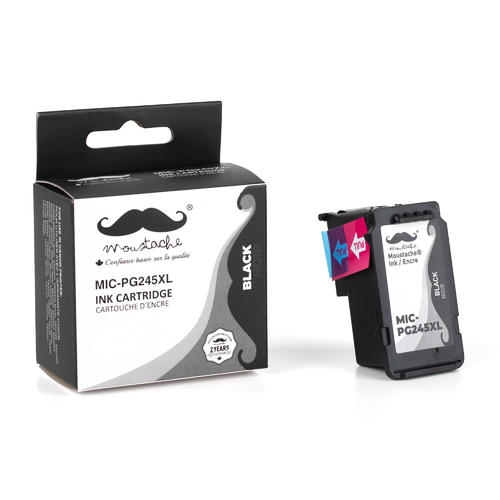
- Choose XL/high-yield ink or toner (lower CPP vs. standard cartridges).
- For higher volumes, match the device to the job (e.g., mono laser for text, inkjet photo printer for photos).
- Use standards-based page yields to compare cartridges apples-to-apples.
3) Less electricity per page
- Enable auto-sleep and wake-on-job.
- Prefer ENERGY STAR-certified imaging equipment and right-size devices (one efficient MFP can replace several desk units).
ENERGY STAR’s imaging equipment pages explicitly encourage default duplex, “image combination” (N-up), and draft/quality settings to reduce pages and ink/toner.
The Cost-Per-Page (CPP) Calculator You Can Steal
Formula:
CPP = (Cartridge Cost ÷ ISO Yield) + Paper Cost + Energy Cost/Page + Service/Parts/Page
- ISO/IEC yields: Use the cartridge yield measured to ISO/IEC standards (e.g., 24711 for inkjet, 19752 or 19798 for laser). These define controlled test pages and methods so you can compare makes fairly.
- Paper cost: Your ream price ÷ 500; duplex and N-up reduce pages consumed directly.
- Energy: (Device Wh/page × $/kWh). ENERGY STAR/DOE/NRCan provide context for office-equipment power management and typical savings.
- Service/parts: Optional line for drums/fusers/waste tanks if your device separates them.
Worked Example
Assume:
- Black cartridge $90, ISO yield 3,000 pages → $0.030/page
- Paper $7.00/ream → $0.014/page (single-sided)
- Device energy 0.02 kWh per 100 pages; electricity $0.18/kWh → ~$0.00004/page
- Service allowance $0.002/page
Baseline CPP ≈ $0.046/page (4.6¢)
Now apply quick wins:
- Default duplex reduces paper use on multi-page docs (e.g., half the sheets for two-page internal memos).
- Monochrome default + draft mode for internal docs. ENERGY STAR notes that lowering quality for drafts saves ink/toner.
- High-yield cartridge: say $130 for 10,000 pages → $0.013/page for ink/toner.
Recompute (illustrative average mix after changes):
- Toner/ink: $0.013
- Paper (duplex two-page docs): effective $0.009
- Energy + service similar: $0.00204
New CPP ≈ $0.024/page (2.4¢) → ~48% reduction on average workloads.
Your exact results vary by mix, but the path to “~50%” is straightforward: reduce sheets and lower CPP with yields.

10 High-Impact Actions (From Fastest to Bigger Projects)
- Set default duplex and grayscale in the print server or device web UI. Duplex alone can halve sheets for typical multi-page jobs; ENERGY STAR makes it a default on certified models.
- Use N-up (2-up) for internal drafts. For slide decks and meeting notes, 2-up + duplex turns 4 pages into 1 sheet—an immediate 75% paper reduction for that content type.
- Switch to high-yield supplies. Use ISO yields when comparing CPP across standard vs. XL/extra-high-yield options.
- Default “Draft/Eco” quality for internal prints; bump quality only when needed. ENERGY STAR explicitly suggests using lower quality for drafts to save ink/toner.
- Adopt secure/hold printing. Users release jobs at the device; abandoned jobs vanish after a timeout. (Any modern MFP or server queue supports this.)
- Shrink margins and compress content where acceptable. The EPA has long shown how smaller margins increase usable page area, reducing sheet count for the same content.
- Right-size the fleet. Consolidate to a few efficient shared MFPs instead of many small devices left idling. DOE/NRCan guidance covers energy saver modes and the benefits of efficient office equipment.
- Prefer certified devices and consumables programs. Check ENERGY STAR for models, and use EPEAT (Imaging Equipment) to find devices and consumables criteria including circularity/take-back—useful for cost and sustainability.
- Standardize paper. Choose a reliable recycled office paper that meets a recognized ecolabel (e.g., Blue Angel paper criteria include emission limits and de-inking suitability).
- Train and nudge. A one-page “How we print” policy (duplex/grayscale default, color on request) saves more than any single gadget.

Settings That Save Money
- Duplex by default: Device web UI or print server policy. ENERGY STAR-certified models commonly ship with duplex enabled.
- Grayscale/mono default: In drivers, set “Black & White” or “Grayscale” as the queue default.
- N-up defaults: For internal queues, set 2-up; publish a “full-size for client-facing” queue separately.
- Auto-sleep & schedules: Configure short sleep timeouts and calendar-based off periods (nights/weekends). DOE/NRCan guidance: efficient office equipment and power-management habits can cut energy use dramatically.
- Quiet mode: Slower, cooler runs can use less energy and reduce wear on some devices—especially small lasers.
Supplies Strategy: High-Yield, Measured by Standards
Why high-yield saves: A larger cartridge spreads packaging, chip/firmware, and logistics costs over more pages, lowering CPP.
Compare by ISO/IEC yield, not ad-hoc claims:
- ISO/IEC 24711 (inkjet) defines yield method with a standardized page suite.
- ISO/IEC 19752 (mono laser) and 19798 (color laser) define toner yields; 19752 was updated in 2025.
Extend cartridge life ethically:
- Use “draft” for drafts and “grayscale” for text-heavy internal docs. ENERGY STAR specifically recommends choosing lower quality when appropriate.
- Avoid unnecessary head cleanings (inkjet) by printing a small B/W page weekly.
Procurement signals:
- Look up devices in EPEAT; the Imaging Equipment Consumables Criteria address take-back and circularity—useful for lowering total lifecycle costs and waste.

Device Selection: Matching Tech to the Job
- Mono laser/LED MFP: Best for text-heavy offices; very low B/W CPP with high-yield toner.
- Color laser/LED: Good for frequent color charts; watch color coverage (CPP rises quickly).
- Business inkjet (cartridge or tank): Modern inkjets can have extremely low color CPP (especially tank systems) and lower energy per page; just confirm ISO 24711 yields and duty cycle match your volume.
- Photo inkjet: Excellent for photos; CPP is high for text—don’t use for bulk B/W.
Energy: ENERGY STAR-certified imaging equipment typically uses less electricity (sleep and operational modes are part of the spec). DOE and NRCan also emphasize power management for home-office gear.
Paper: Big Savings Hiding in Plain Sight
- Recycled content + consistent quality. Blue Angel paper criteria include VOC emission limits and suitability for high-quality print products—signals for reliability in duplex and high-speed runs.
- Default duplex and N-up are where the 50% savings often come from: two pages per sheet, printed both sides, quartering sheets used for many internal workflows.
- Margin management: The EPA’s tips show how reducing default margins increases printable area, consolidating content onto fewer pages.
Electricity: The Quiet Part of Your Bill
- Auto-sleep: Enable the shortest practical timeout. ENERGY STAR-qualified devices are designed for aggressive sleep without reliability penalties.
- Schedules: Power down nights/weekends; NRCan highlights office-energy habits as an easy win.
- Fleet consolidation: One efficient MFP typically uses less idle power than several desktop printers. DOE’s home-office guidance notes up to ~50% electricity savings from ENERGY STAR office equipment broadly—your actual figure depends on usage.
Quick Wins vs. Typical Savings
| Action | What It Changes | Typical Impact |
|---|---|---|
| Default duplex + 2-up | Sheets consumed | 25–75% fewer sheets on internal docs |
| Grayscale default | Color coverage | 50–90% drop in color toner/ink for internal docs |
| High-yield cartridges | Ink/toner CPP | 20–60% lower ink/toner cost per page |
| Auto-sleep & schedules | kWh | 20–60% lower device energy use (context-dependent) |
| Secure/hold print | Waste pages | 5–15% fewer abandoned prints |
| Margin & layout tweaks | Page count | 5–20% fewer sheets on long docs |
(Ranges are typical, not guarantees; confirm with your own meter and monthly counters.)
Procurement Checklist
- ENERGY STAR Imaging Equipment v3.x – Check that the model is listed.
- EPEAT Imaging Equipment – Prefer models registered; consult the Registry (and note the 1.0 → 2.0 transition dates).
- ISO/IEC yield transparency – Require published yields by the relevant standard.
- Consumables take-back – Use EPEAT’s consumables criteria (2024) as a reference when evaluating vendor programs.
- Paper ecolabel – Consider Blue Angel-qualified office paper; low-VOC and de-inkable improves runnability and recycling.
Implementation Plan
- Pull usage counters from each device; note monthly pages, color ratio, duplex rate.
- Change defaults: duplex + grayscale; enable 2-up on internal queues.
- Power settings: sleep after 5–15 minutes; schedule off at night/weekends.
- Supplies: switch to high-yield SKUs; record ISO/IEC yields in a shared sheet for CPP tracking.
- Paper: standardize on a reliable recycled sheet; document duplex compatibility and jam rates; use an ecolabel such as Blue Angel as a quality signal.
- Secure/hold printing: enable at the server or device; post a one-page “How we print” guide.
- Review in 30 days: Compare counters; adjust where needed.
FAQ
Q1: How do I verify cartridge page yields?
Check that yields reference the appropriate standards: ISO/IEC 24711 (inkjet), ISO/IEC 19752 (mono laser), or ISO/IEC 19798 (color laser). These standards specify test pages, coverage, and end-of-life rules so different brands are comparable.
Q2: Is duplex printing always a win?
For most internal documents, yes—fewer sheets mean lower paper cost and less storage/shipping. ENERGY STAR even sets duplex as default on certified printers to reduce consumption.
Q3: Does “Draft/Eco” mode hurt readability?
For heavy text, usually not. Try it for internal drafts and switch to higher quality when sending to clients. ENERGY STAR specifically advises using lower quality for drafts to save ink/toner.
Q4: What’s the role of ecolabels like EPEAT or Blue Angel?
They’re procurement shortcuts. EPEAT verifies a device against environmental criteria including imaging-consumables programs; Blue Angel criteria for paper and imaging devices address emissions and recyclability—both correlate with fewer headaches and lower lifecycle costs.
Q5: How much can energy settings really save?
A lot, especially on fleets. DOE and NRCan note that ENERGY STAR office equipment and power management can cut electricity use substantially; autosleep and shutdown schedules are low-effort wins.
Q6: We print photo-heavy reports. Inkjet or laser?
If color fidelity matters and volumes aren’t extreme, business inkjets (especially tank models) can have low color CPP; at sustained high volumes with mostly text, mono laser + occasional outsourced color may be cheaper. Use ISO yields for apples-to-apples.
Q7: Can layout tweaks really cut costs?
Yes. EPA’s guidance shows how reduced margins and smarter layout increase printable area—often consolidating pages.
Dated Sources
- Page-yield standards: ISO/IEC 24711 (inkjet); ISO/IEC 19752 (mono toner, updated 2025); ISO/IEC 19798 (color toner). (Sources: ISO & IEC pages; Accessed 2026-02.)
- ENERGY STAR imaging equipment guidance on duplex defaults, N-up, and draft quality to reduce pages/ink. (Accessed 2026-02.)
- ENERGY STAR product specification v3.2 for imaging equipment (sleep/energy criteria). (Accessed 2026-02.)
- EPEAT registry & Imaging Equipment Consumables Criteria (2024) for take-back/circularity. (Accessed 2026-02.)
- DOE EnergySaver & NRCan office-equipment energy tips and behavior guidance. (Accessed 2026-02.)
- EPA “Reducing Paper and Printer Ink Usage” on margin/layout impacts. (Accessed 2026-02.)
- Blue Angel paper criteria as a reliability and environmental signal. (Accessed 2026-02.)




