


Compatible ink doesn’t have to be a gamble.
When you evaluate Yield, CPP (Cost per Page), and Failure Rates, you can make a transparent, Canada-ready decision—especially across Canon and Brother inkjet lines.
This guide shows you how to compare like a lab, with a brand compatibility matrix, a plug-in CPP table using Canadian data points, and prevention tips to protect both print quality and printer health.
The Three Metrics That Decide Value

1) Yield (pages per cartridge)
Yield tells you expected pages under standardized conditions. Real output varies with coverage, paper, and maintenance purges, but the ISO figure remains the fairest comparison baseline across Canon/Brother families.
2) CPP (Cost per Page)
CPP=ISO page yieldCartridge price (CAD, after rebates, pre-tax)
Calculate mono CPP (black) and composite colour CPP (CMY sets) separately. Add soft costs (wasted pages during failures, staff time) for a total picture.
3) Failure Rate (field reliability)
Log events in four buckets to avoid mixing very different problems:
| Bucket | What it means | Why it matters |
|---|---|---|
| DOA / Not Recognized | Printer rejects the cartridge (chip/read issue) | Delays + return handling |
| Early Depletion | Stops far before stated yield | Hidden CPP spike |
| Print Quality Defects | Banding, streaks, colour drift | Reprints + customer impact |
| Leak/Physical | Seal failure, mess | Cleanup + potential device risk |
Canon & Brother Compatibility Matrix
| Brand / family | OEM ink characteristics | What the compatible must match | Chip / firmware considerations | Status monitor |
|---|---|---|---|---|
| Canon (e.g., PGI-225BK class) | Often pigment black for text, dye for photo colours (varies by set) | Chemistry tuned to text/photo roles; viscosity & surface tension appropriate for Canon heads | Some families use chips; confirm per model and supplier notes | Levels may report or show “unknown”—ensure print-through continues |
| Brother (e.g., LC3013BK class) | Typically pigment-forward black for office text | Matching pigment stability and viscosity; reliable feed for Brother piezo heads | Many compatibles include updated chips; verify “with chip” for your SKU | Levels generally available; confirm warnings logic |
CPP Reality Check (Canada 2026)
The table below uses published specs (yield and CPP) from 123ink Canon/Brother black cartridges—compatible vs. original—so you can see the math clearly. Replace with your current price points as needed.
| Brand / Model | Cartridge type | Page yield | Stated CPP | Notes |
|---|---|---|---|---|
| Brother LC3013BK Ink | Moustache® Compatible (with chip) | 400 pages | $0.046 | High-yield black; shelf life 36 months |
| Brother LC3013BK Ink | Original (OEM) | 400 pages | $0.100 | High-yield black; shelf life 36 months |
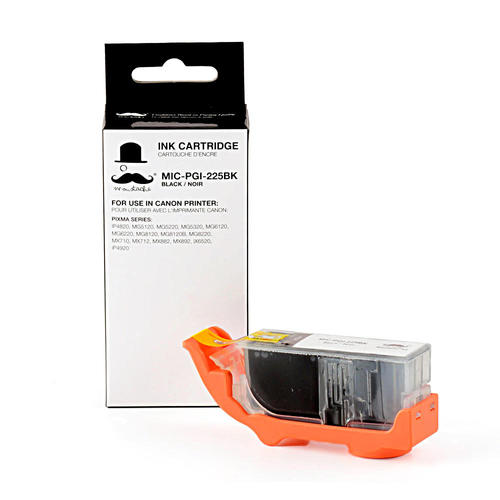
| Canon PGI-225BK Ink | Moustache® Compatible | 340 pages | $0.020 | Standard-yield pigment black; shelf life 36 months |
| Canon PGI-225BK Ink | Original (OEM) | 340 pages | $0.079 | Standard-yield pigment black; shelf life 36 months |
What this implies:


Reality check: If a supplier’s field failure rate were, say, 2%, and each failure wasted 20 pages plus 10 minutes of handling, those penalties would slightly raise effective CPP—but on the samples above, the compatible still retains a substantial advantage. Always combine CPP + failure rate in your decision.
One-Week “Lab-Lite” Validation
- Baseline: Note current CPP from your existing Canon/Brother cartridges.
- Install the candidate compatible set and reset counters.
- Print plan: 100 mixed pages/day × 5 days (≈60% text, 20% charts, 20% images) on 75–90 g/m² paper.
- Record: total pages, cleaning cycles, “not recognized” events, reprints for quality.
- Compare: yield proximity (within ±10–15% of stated), ≤1% recognition errors, no leaks, stable text density.
Preventing Problems and Protecting Canon/Brother Printers

- Don’t cross chemistries (pigment ↔ dye) across bays.
- Manage firmware deliberately: postpone auto-updates until you confirm chip compatibility on your models.
- Store correctly (15–25 °C, upright, sealed); avoid heat/sun.
- Prime & check: run nozzle checks after install; allow priming cycles to complete.
- Print weekly: prevents pigment settling in seldom-used colours.
- Handle chips by the edges; reseat if “not recognized.”
Canadian Supplier Checklist
- Yield stated (with page count) and CPP visible.
- Ink type per colour (dye vs pigment) clearly labelled.
- Chip generation notes for Brother/Canon where relevant (“with chip” is explicit on some Brother SKUs).
- Shelf life listed (e.g., 36 months) and batch/lot ID on packaging.
- Clear RMA policy with sub-codes (DOA vs early depletion vs leaks).
- Canadian fulfillment & bilingual labeling for workplaces.
FAQ
Q1: Will compatible ink void my Canon/Brother warranty in Canada?
A: Generally no by default. Service may be denied only if damage is directly caused by a third-party cartridge. Keep failed units and logs.
Q2: Why does my CPP differ from the table?
A: CPP shifts with street price, yield variance, and cleaning cycles. Recompute using your current price and page yield.
Q3: Why do some compatibles show “ink level unknown”?
A: Chip behavior varies. Printing usually continues; monitor page count and print quality if levels aren’t reported.
Q4: Can I mix OEM black with compatible colours?
A: Possible but not ideal; chemistry mismatches can alter colour balance. For colour-critical work, use a matched set.
Q5: How do I compare two compatible suppliers quickly?
A: Run the Lab-Lite test, log failures by bucket, compute CPP with penalties, and select the best total cost.
Sources
- ISO/IEC 24711 & 24712 — Page yield for colour inkjet printers and multi-function devices using ISO/IEC standard test pages.
- ISO/IEC 19752 & 19798 — Monochrome and colour toner/ink yield measurement methods.
- Printer OEM Guidance (Canon, Brother) — Ink type usage (dye/pigment by bay), firmware/chip recognition notes, status monitor behaviour.
- Government of Canada / Provincial Consumer Guidance — General warranty/repair expectations; evidence-based denial for third-party parts when directly causal.
- BIFMA / Industry QA Practices — Batch traceability, lot coding, and RMA sub-code frameworks for consumables.




