A “perfect” office chair in 2025 isn’t about locking yourself into a single textbook posture. Modern ergonomics focuses on dynamic sitting: a chair that lets you move easily between upright and slightly reclined positions while keeping your arms, back and legs supported. OSHA+1
Across public ergonomics resources and standards (OSHA, CCOHS, Cornell University, BIFMA), four pillars show up again and again:
- Fit – the chair must match your body size, not a generic “average” user.
- Adjustability – especially seat height, seat depth, lumbar height/pressure and armrests.
- Mechanism quality – recline and tension controls should make posture changes effortless.
- Task compatibility – typing, calls, design work and hot-desking all favour slightly different setups.
If you buy around those four pillars and then take five minutes to dial the chair in, you’ll be closer to a “perfect” chair than by chasing any single buzzword.
1. Ergonomics Fundamentals (Beyond 90-90-90)

Neutral–Dynamic Posture
Classic diagrams with perfect right angles were meant as teaching tools, not a lifetime rule. Current guidance supports:
- Working most of the time with a slight recline, roughly 100–110° at the backrest.
- Regular micro-movements: small shifts in hip angle, recline and arm position across the day. Cornell Ergonomics+1
The goal is to support the spine in a neutral zone while avoiding long static holds that increase muscle fatigue and disc pressure. Cornell Ergonomics+1
Fit for the 5th–95th Percentile
Industry guidelines like BIFMA G1 aim to fit from the smaller 5th percentile female to the larger 95th percentile male in North America. That means: knoll.com+1
- Adequate seat-height range so shorter users can still reach the floor (or a footrest), and taller users aren’t squatting.
- Enough seat depth adjustment (or different seat options) so you can sit back without the front edge pressing into your calves.
- Lumbar support that can be positioned around the belt-line / L3–L5 region.
- Armrests that can be brought in for narrow shoulders and moved out for broader builds.
Adjustability Hierarchy
Not all knobs are equally important. For most people, the hierarchy looks like this:
- Seat height
- Seat depth / seat slider
- Lumbar height and pressure
- Armrest height, width and pivot
- Recline mechanism and tension
If a budget forces trade-offs, prioritise the first four.
2. Feature-by-Feature Buying Checklist
2.1 Seat Height
What to aim for
- Hips roughly level with or slightly above the knees.
- Feet flat on the floor or fully supported on a footrest.
Quick self-test (from CCOHS / OSHA practice):
- Stand in front of the chair and adjust height so the top of the seat is just below your kneecap.
- Sit down:
- Feet supported
- Thighs roughly parallel to the floor
- No pressure under the front of the thigh
2.2 Seat Depth (Seat Slider)
If the seat is too deep, you tend to slump or feel pressure behind the knees. Too shallow and your thighs lack support.
Target: with your back touching the backrest, you should have about 2–3 finger widths between the front edge of the seat and your calves.
2.3 Lumbar Support & Backrest
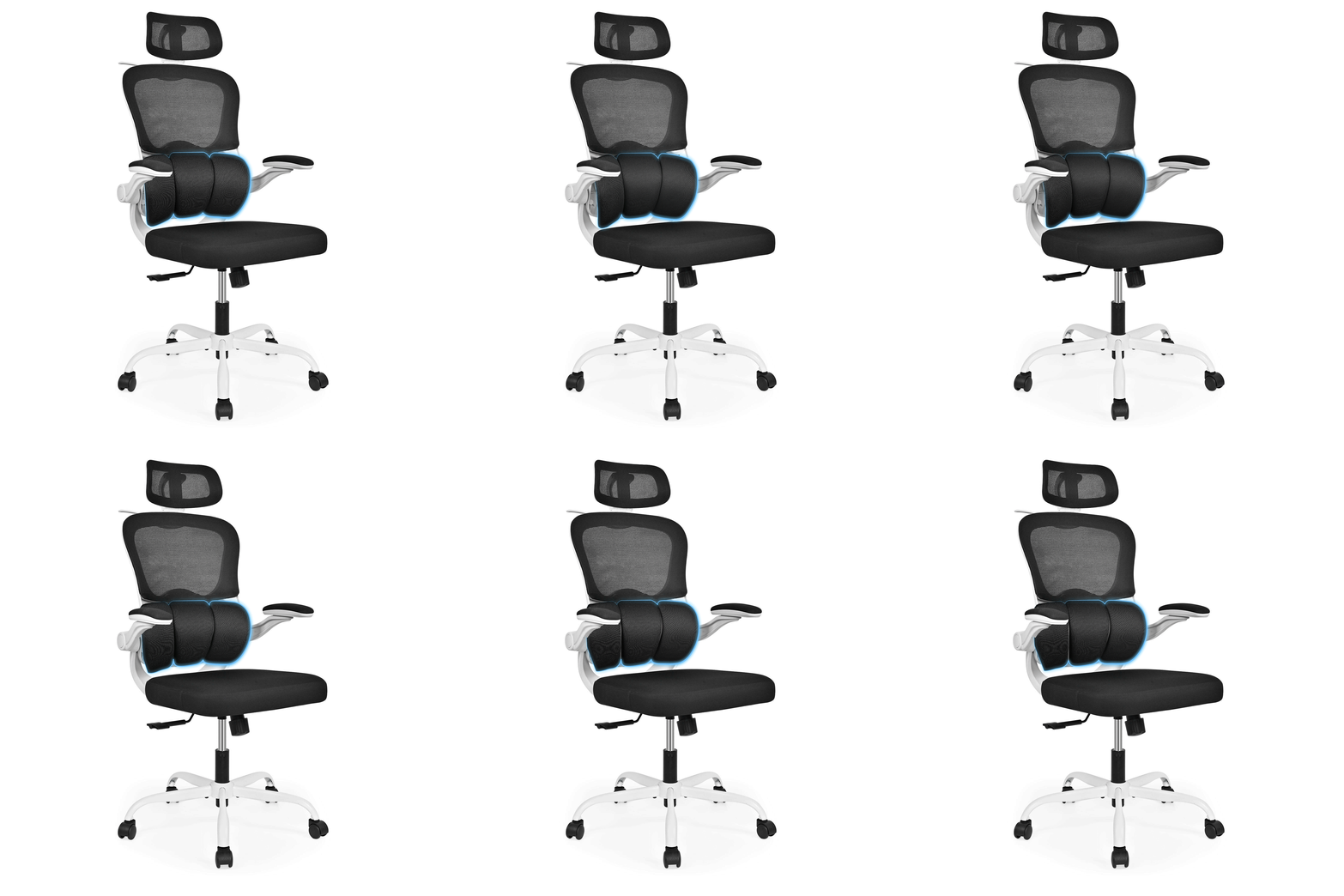
- Height: the lumbar “bump” should sit at or slightly above your belt-line.
- Depth / pressure: increase until the support “meets” your lower back but doesn’t push you forward.
- Recline range: a mechanism that comfortably lets you work around 100–110° and occasionally recline further encourages dynamic sitting. Cornell Ergonomics+2Cornell Ergonomics+2
2.4 Armrests (3D / 4D Preferred)
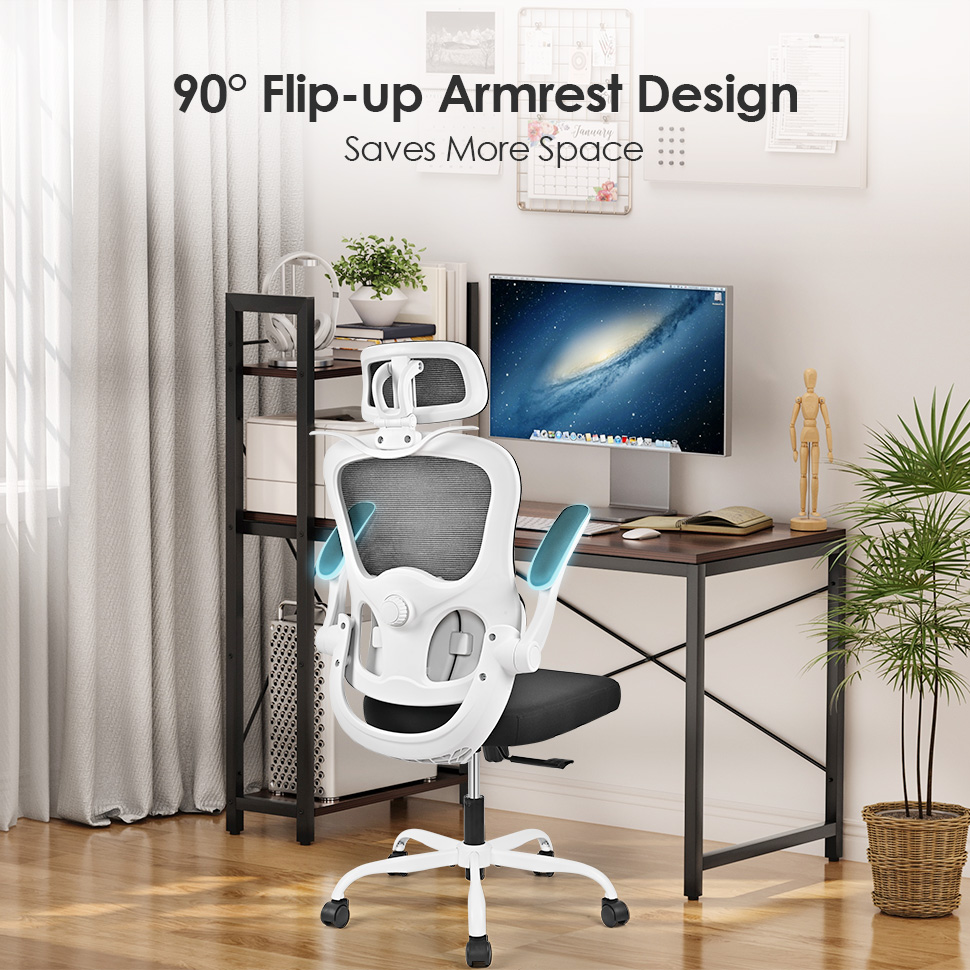
Good armrests help the neck and shoulders, not the hands:
- Height: forearms lightly supported, shoulders relaxed, not shrugged.
- Width: pads can move in for smaller frames and out for broader shoulders.
- Pivot: slight inward pivot can make keyboarding easier; outward helps with mouse use.
2.5 Mechanism Types (How the Chair Moves)
- Basic tilt – seat and back move together; knees may rise in deep recline.
- Knee-tilt – pivot closer to knees; smoother “meeting posture.”
- Synchro-tilt – back moves more than seat (e.g., 2:1), keeping feet stable while opening hip angle.
- Weight-sensing / auto-tension – fewer knobs; check that it works comfortably at your body weight. University of Windsor+1
2.6 Base & Casters
- Five-leg base for stability.
- Soft (rubberised) casters for hard floors like wood, tile, concrete.
- Hard nylon casters for carpet.
3.7 Materials
- Mesh backs – breathable and conforming; lumbar shape and tension matter more than “mesh vs fabric.”
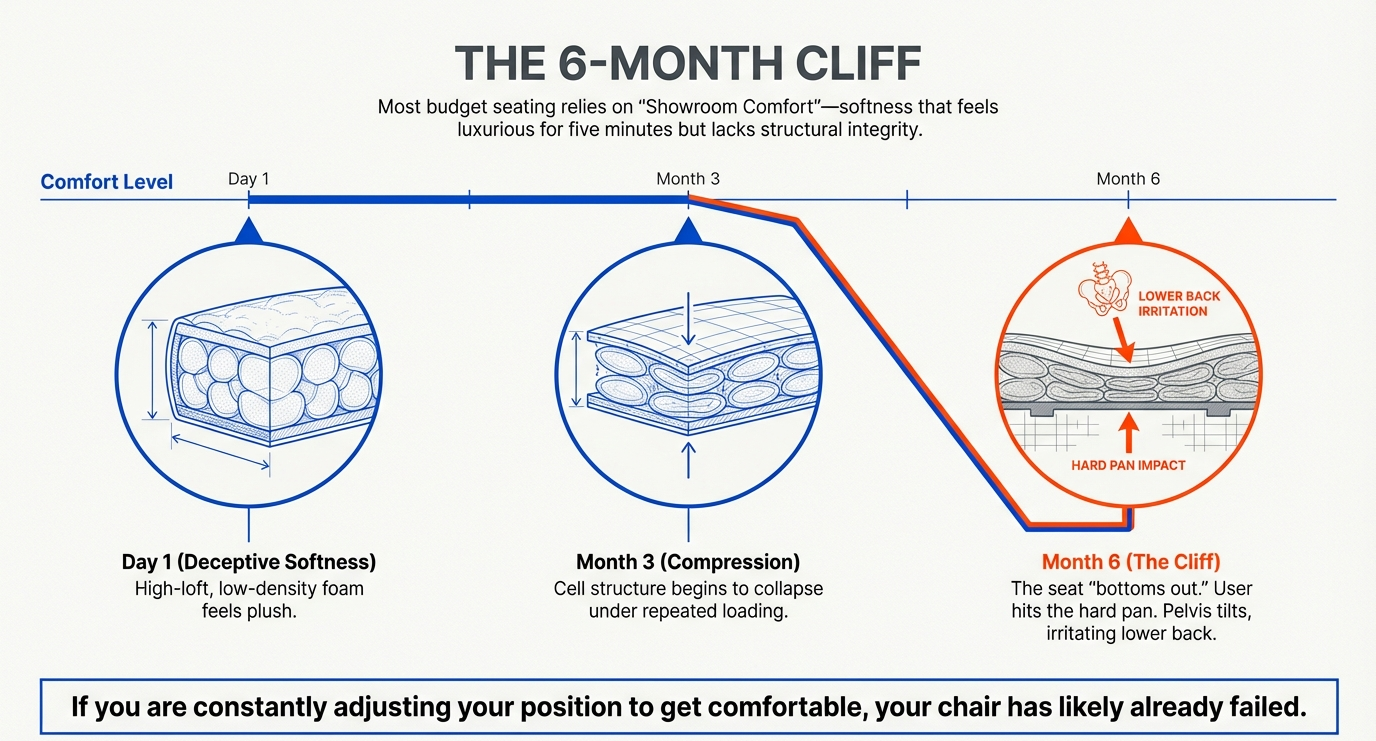
- Foam seats – look for denser, resilient foam that doesn’t “bottom out” quickly.
- Textiles – choose abrasion-resistant, easy-to-clean fabrics; check manufacturer care instructions.
3. 5-Minute Setup Protocol (From Box to Best Posture)
Once the chair is assembled, follow this quick sequence often recommended by ergonomics resources such as OSHA and CCOHS: OSHA+2CCOHS+2
- Seat Height
- Stand, set seat just below kneecap.
- Sit, check that feet are supported and thighs are roughly horizontal.
- Seat Depth
- Slide the seat (or reposition yourself) so that, with your back on the backrest, you have 2–3 finger widths between the seat edge and your calves.
- Lumbar Height & Pressure
- Raise/lower support so the apex is at or slightly above your belt-line.
- Increase pressure until your lower back feels supported without being pushed forward.
- Recline & Tension
- Unlock recline, lean back to about 100–110°.
- Adjust tension so you can move back with light effort and return upright smoothly.
- Armrests
- Sit in your usual typing position.
- Raise or lower arms until shoulders relax; bring pads inward or outward to keep elbows near your sides.
- Desk Coordination
- If the desk is too high, prioritise arm comfort (raise chair) and use a footrest so your legs remain supported.
4. Decision Framework: Match Chair to Work Pattern
Heads-Down Typing (Spreadsheets, Coding, Writing)
- Accurate seat height and seat depth
- Good lumbar support with fine height/depth adjustment
- 3D/4D armrests with inward pivot for close keyboard work
Meeting-Heavy & Calls
- Smooth knee-tilt or synchro-tilt so you can recline slightly during calls.
- Breathable backrest to avoid heat buildup in long sessions.
Creative / Pointing-Device-Heavy Work (Design, Editing)
- Larger comfortable recline envelope
- Arm pads that can pivot in multiple directions
- Waterfall front edge or well-rounded seat front to reduce thigh pressure in varied poses. University of Windsor+1
Hot-Desking / Shared Workstations
- Wide adjustment ranges and clearly labelled controls
- Weight-sensing tilt can reduce adjustment time between users.
Petite or Tall Users
- Check seat-height range; in some cases, swapping cylinders can be appropriate.
- Verify that the seat depth isn’t excessively long for shorter users (or too short for very tall users).
5. Troubleshooting by Symptom
Use these quick links between discomfort patterns and likely chair adjustments (based on OSHA/CCOHS ergonomic checklists).
- Neck / upper-trap tightness
- Lower armrests slightly or raise the chair so forearms are supported.
- Bring keyboard and mouse closer; pivot arm pads inward.
- Low-back ache after ~1 hour
- Raise lumbar support 1–2 notches.
- Add a bit more recline (another 5–10°).
- Front-thigh pressure / numbness
- Decrease seat depth (move slider back) or raise seat slightly.
- Ensure feet are fully supported on floor or footrest.
- Tailbone discomfort
- Slightly increase seat height and recline.
- Consider a different cushion density or shape if pain persists.
- Knees lifting during recline
- Increase recline tension a little.
- For future purchases, look for synchro-tilt rather than basic tilt.
6. Neutral Internal Examples (Spec-Based Illustration Only)
Below is a non-promotional table showing how ergonomic features appear in four common chair configurations. Values are taken from public product specifications and rounded where appropriate.
You can use this as a pattern for reading any spec sheet — the goal is to connect numbers to fit and use-case, not to favour a specific product.
| Example Chair | Back Height | Seat / Chair Height Range | Tilt / Recline | Lumbar System | Armrests | Typical Use Case |
|---|---|---|---|---|---|---|
| Home Office Chair Ergonomic Desk Chair | Mid-back mesh | Approx. overall height 92.5–100 cm (36.4–39.2″) with height-adjustable gas lift* | Back tilt approx. 15° with simple tilt mechanism | Fixed mesh lumbar contour | Fixed armrests | General home-office desk work in compact spaces. |
| Ergonomic Adjustable High-Back Office Mesh Chair | High-back mesh | Overall height adjustable around 110–118 cm* (approx. 46 × 59 × 110 cm body size) | Tilt mechanism for recline | Integrated mesh lumbar shape | Fixed arms | Longer sessions where full upper-back coverage is preferred. |
| Flip-Up Arms Ergonomic Desk Chair | Mid-back mesh | Height-adjustable with ~80 mm BIFMA-certified gas lift* | Tilt tension with adjustable backrest | Height-adjustable lumbar support | Flip-up armrests for sliding under desks | Hybrid setups and smaller rooms where flip-up arms free space. |
| Luxury Ergonomic Mesh Office Chair w/ Three-Stage Lumbar | High-back mesh | Seat height approx. 17.3–20.9″ (44–53 cm) with adjustable gas lift | Wide recline range with multi-position lock* | Three-stage adjustable lumbar support | Flip-up, multi-adjustable armrests | Longer daily use with more posture variety and back-curve tuning. |
*Ranges are approximate where spec sheets give overall chair dimensions rather than explicit seat-height numbers. Always verify measurements directly on the product page before purchase.
7. FAQ
Q1. Is a headrest required for good posture?
No. Most official guidance focuses first on seat height, back support and arm position. A headrest is useful when you recline during calls or reading, but it’s not mandatory for typing tasks.
Q2. What recline angle is best for productivity?
There is no single “best” angle. Many users are comfortable working with a slight recline around 100–110°, combined with regular small changes in posture through the day.
Q3. How should a shorter person set the chair?
Raise the chair until forearms align with keyboard/mouse height, then use a footrest to keep feet supported. Adjust seat depth so you still have a few centimetres (2–3 finger widths) of space behind the knees.
Q4. What do ANSI/BIFMA standards mean to a buyer?
ANSI/BIFMA seating standards focus on durability, safety and fit ranges, often using the 5th–95th percentile population as a design target. They signal engineering rigour, but they don’t guarantee comfort for every individual — you still need to check fit and adjustability. bifma.org+2knoll.com+2
Q5. Mesh vs upholstered seat — which is healthier?
Both can work well if the chair is properly sized and adjusted. Key factors are seat depth, front-edge comfort (often a “waterfall” edge) and foam or mesh tension quality, not just the material name.
Q6. What if my desk is too high and cannot be adjusted?
Raise the chair to keep shoulders relaxed and wrists straight, then add a footrest or platform so your feet and legs are supported. This is the standard workaround recommended by multiple ergonomics bodies.