

123ink blog
  • Home
  • Ink & Toner
  • Printers
  • Office Supplies
  • Office Chairs
  • English
    • English
    • Français
No Result
View All Result
123ink blog
  • Home
  • Ink & Toner
  • Printers
  • Office Supplies
  • Office Chairs
  • English
    • English
    • Français
No Result
View All Result
123ink blog
No Result
View All Result

Manipulate Your Brother Ink Cartridges by Simple Steps

by Joy
June 20, 2013
in Brother Ink Cartridges, OEM ink cartridges, Office Supplier
1
Share to Facebook

To reset a Brother Printer ink Cartridges is simply there are only a few steps you need to do. A Brother printer uses two things to check ink. You just need to figure out which way your Brother printer to detect ink before everything.
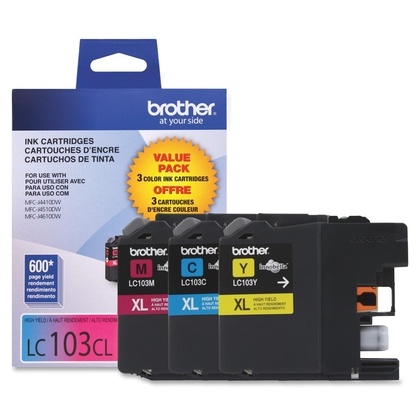
Brother LC103 C/M/Y OEM Ink Cartridge High Yield(Combo Set)

So first of all, you need to identify the printer. You can tell which printer you have by looking at where the cartridge goes in. If you find there are two “eyes” where the ink cartridges goes in between, You need to prepare a piece of Black electrical tape, masking tape or duct tape. Using a piece of tape to block between the “eyes”, you are misleading your Brother printer to think the cartridges are always full.  To block the path of the infrared beam, you just need to put a piece of tape on the piece of the cartridge that goes in between the eyes. If you do not find any “eyes”, you printer is using memory. To clear the memory, you need to take the cartridge out and unplugging your printer for at least 30 secs. After that you just plug your brother printer back in and put the cartridge back in. Repeat this for five times, your printer’s memory will be clean. You are done! Now you are able to be up and printing in no time.


Related Stories

Brother MFC-J491DW Printer Ink Cartridges Order at 123Ink.ca

Exploring the Brother MFC-J491DW: A Wireless All-in-One Inkjet Printer

Review of the Brother MFC-J491DW Wireless All-in-One Inkjet Printer

Can Brother MFC-J491DW print wirelessly

Brother MFC-j491DW Ink is LC3013 and LC3011

Brother LC3013 and LC3011 Ink for Printer MFC-J491DW

Next Post

Battery Case -Juice Pack for iPhone 5

Comments 1

  1. Shirley says:
    8 years ago

    note: it there any RESET-buttons located on those above noted ink-cartridges of BROTHER’s??? The repetitive problem that I have been getting is that though my ink cartridges are almost totally FULL . . . the fax-printer-scanner’s LCD-screen shows NO INK.!!!! GEEEEEEEZZZZZZZZ.!!!!!$$$$$$$$$$$$$

    Reply

Leave a Reply Cancel reply

Your email address will not be published. Required fields are marked *

123ink's Blog

© 2007-2026 123ink Blog. Operated by Shopper+ Inc. All rights reserved.

Navigate Site

  • Shop from 123ink
  • Family of Brands
  • Contact Us
  • English

Follow Us

No Result
View All Result
  • Home
  • Ink & Toner
  • Printers
  • Office Supplies
  • Office Chairs
  • English
    • English
    • Français

© 2007-2026 123ink Blog. Operated by Shopper+ Inc. All rights reserved.