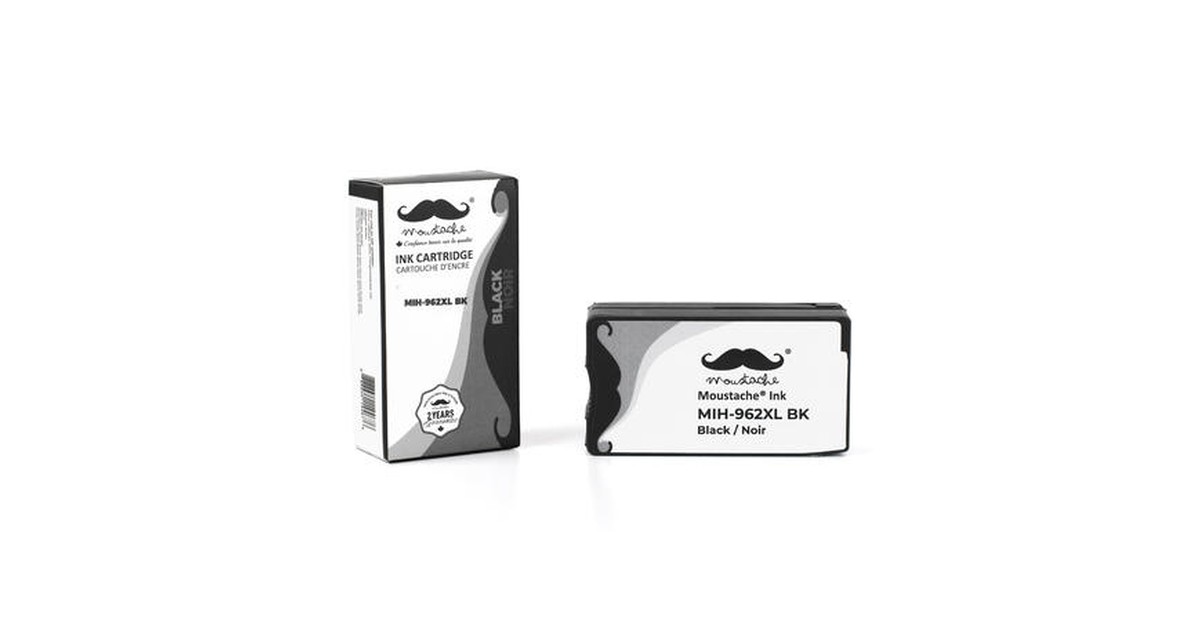

The toner number for both the HP LaserJet M209dw and the HP LaserJet MFP M234dw is 134A (standard) or 134X (high yield). Before you order, open the product page and check its Compatible Printer List for your exact model, including any letters at the end of the name.
If you searched “hp laserjet m209dw toner” or “hp laserjet mfp m234dw toner”, this guide walks through the cartridge numbers, standard versus high yield, the with-chip and no-chip versions, and a few Moustache and Eco-Saver examples from 123ink.ca. Prices as of October 26, 2026.
Step 1: Match the Printer Model to the Cartridge Number
- Read the full model name. It is printed on the front or top of the printer. Models in this family look alike, so match the whole name, including any letters at the end. If the name ends in “e”, read the note further down first.
- Check the cartridge number. These printers use the 134A / W1340A (standard) and 134X / W1340X (high yield) black toner. The number is on the label of the cartridge currently installed.
- Open the model page. Our page for the HP LaserJet M209dw and our page for the HP LaserJet MFP M234dw list the toner cartridges for each model. Confirm your model on the product page itself before you add anything to the cart.
Both printers are black-and-white laser models, so you only need a black cartridge. There is no colour set to buy.
Standard (134A) or High Yield (134X)?
The 134X holds more toner and is rated for more pages than the 134A. The yields below are the figures shown on the product pages for the Moustache and Eco-Saver cartridges, usually measured at about 5% page coverage. Your own results depend on what you print.
- Print a few pages a week: the 134A (about 1,100 pages on the page) is usually enough.
- Print most days, or print long documents: the 134X (about 2,400 pages on the page) means fewer reorders.
- Home office or small business: check the cost per page on each product page and compare the two sizes.
With Chip or No Chip?
Our listings for these cartridges are labelled either “With Chip” or “No Chip”. The with-chip cartridges come with a chip installed. With the no-chip cartridges, you move the chip from your current OEM cartridge onto the new one; follow the notes on the product page.
One honest note: some printers may stop recognising compatible cartridges after a firmware update. If that matters to you, check your printer’s update settings before installing updates, and read the product page notes.
If Your Model Name Ends in “e”
A model name ending in “e” marks an HP+ printer. According to HP’s HP+ FAQ, HP+ requires an HP account, an internet connection and the use of Original HP toner for the life of the printer. Our with-chip compatible cartridges are not designed for HP+ printers, which is why those models have a different list of cartridges on our site. Check the Compatible Printer List on the product page for your exact model before you order.
Examples for the M209dw and M234dw
These are Moustache and Eco-Saver cartridges sold on 123ink.ca. They are compatible or remanufactured, and each page lists the printers it is intended for. These are examples only; confirm your own model on the product page.
| Cartridge | Brand | Page yield (listed) | Price |
|---|---|---|---|
| Compatible HP 134A W1340A black toner, with chip | Eco-Saver | 1,100 pages | $25.99 |
| Compatible HP 134A W1340A black toner, with chip | Moustache | 1,100 pages | $49.95 |
| Compatible HP 134X W1340X black toner, high yield, with chip | Eco-Saver | 2,400 pages | $31.95 |
| Compatible HP 134X W1340X black toner, high yield, with chip | Moustache | 2,400 pages | $69.95 |
| Remanufactured HP 134X W1340X black toner, no chip | Moustache | 2,400 pages | $49.95 |
As of October 26, 2026, both the M209dw page and the M234dw page list all five. If your exact model is not on a product page, do not order that cartridge for it.
What to Check Before You Order
- Your full model name against the Compatible Printer List.
- Standard or high yield. Pick the size that suits how much you print.
- With chip or no chip, as described above.
- Shipping. According to our shipping page, orders over $49 ship free in Canada and orders under $49 pay $7.95. Remote locations are not eligible for free shipping.
- Timing. Order your next cartridge before the current one runs out, so you are not left waiting on delivery with a half-printed job.
Storing and Swapping Toner
- Keep the new cartridge in its packaging until you need it, in a cool, dry place.
- When you swap, follow the diagram inside the printer door, and keep the old cartridge for recycling.
- If print quality changes after the swap, power the printer off and on, reseat the cartridge and check that the packaging tape is removed.
More general tips are in our practical guide to choosing compatible ink and toner, and you can browse more toner for HP printers.
FAQ
Which toner does the HP LaserJet M209dw use?
It uses black 134A / W1340A (standard) or 134X / W1340X (high yield). Check the Compatible Printer List on the product page for your exact model.
Which toner does the HP LaserJet MFP M234dw use?
The same 134A / 134X series. Check the Compatible Printer List on the product page for your exact model.
What is the difference between 134A and 134X?
The X version is the higher-capacity cartridge. The product pages list about 1,100 pages for the 134A and about 2,400 pages for the 134X.
What does an “e” at the end of the model name mean?
It marks an HP+ printer. Our with-chip compatible cartridges are not designed for HP+ printers, so check the product page for your exact model before you order.
Do I need a colour cartridge?
No. Both printers print in black and white and use a single black toner cartridge.
Will my printer accept a compatible cartridge after a firmware update?
Some printers may stop recognising compatible cartridges after a firmware update. Check your printer’s update settings before installing updates.
Prices as of October 26, 2026. Check each product page for current price and availability.
HP is a trademark of its respective owner. 123ink.ca is not affiliated with or endorsed by HP.